
Budgeting Tools and Apps You Should Know in 2026

Image credit: Photo by Carlos Muza on Unsplash
Budgeting tools have changed a lot over the last few years. By 2026, most people aren't looking for one app to manage everything anymore. Instead, they're mixing and matching tools based on what they actually need, whether that's awareness, structure, automation, or just some clarity.
This guide walks you through the most common budgeting tools and apps out there right now, what they're good at, and who they tend to work best for. Whether you're just starting to budget or looking to switch from something that doesn't quite fit anymore, having a sense of your options helps you make decisions that actually work for you.
How Budgeting Tools Look Different in 2026
A few things have shifted in how people think about managing their money:
- Subscription fatigue is real, people are being more picky about what they pay for
- Many of us prefer simpler tools over complex dashboards with tons of features
- Trust and transparency matter way more than long feature lists
- It's totally normal to use multiple tools instead of trying to find one "all-in-one" app
Because of this, budgeting in 2026 is less about finding the perfect app and more about choosing tools that actually fit how you live. Some people use an app for tracking, a spreadsheet for planning, and budget calculators for specific goals, and honestly, that's totally fine.
Top Budgeting Tools to Consider
Here are the most popular budgeting tools right now, organized by what they're best at:
YNAB (You Need A Budget)
YNAB uses zero-based budgeting where every dollar gets assigned a job. It's pretty structured and hands-on, so you'll want to check in regularly. Paid ($14.99/mo) - works on Web, iOS, and Android.
Best for: People who like having detailed control and don't mind checking in with their budget often.
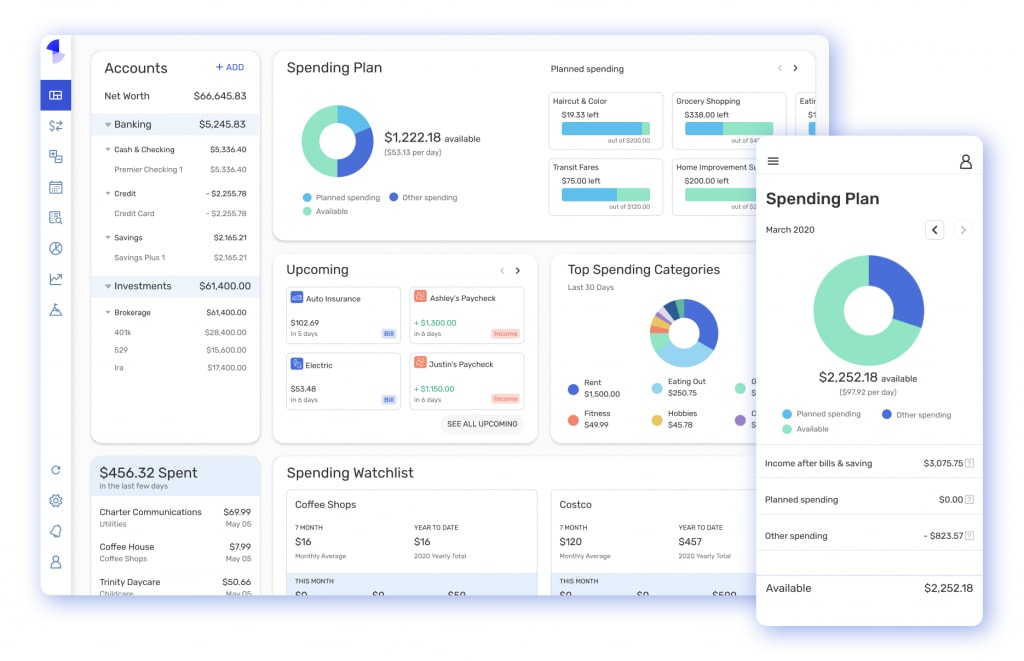
Monarch Money
Monarch Money got popular as a Mint alternative after Mint shut down. It handles budgeting, net worth tracking, and household finances pretty well. Paid ($14.99/mo) - works on Web, iOS, and Android.
Best for: Couples or families who want to manage money together.

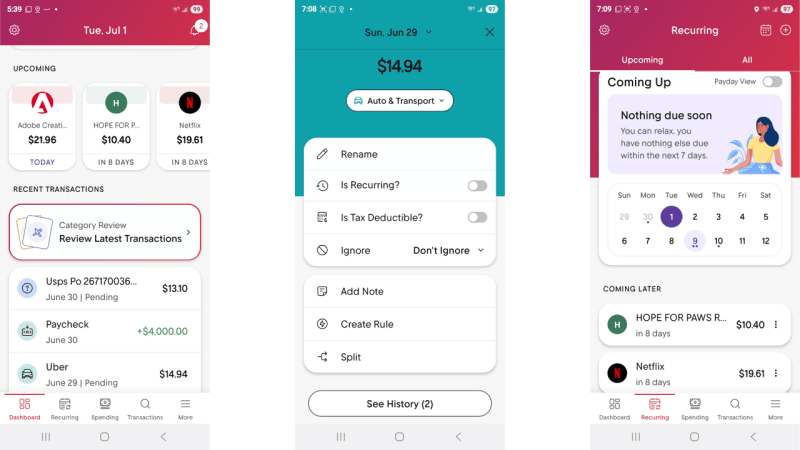
Rocket Money
Rocket Money is really good at subscription management and bill negotiation. The budgeting features are lighter, but it's great for keeping track of what you're paying for. Free + Paid options - works on Web, iOS, and Android.
Best for: People who want something that tracks things passively and helps manage all those subscriptions.
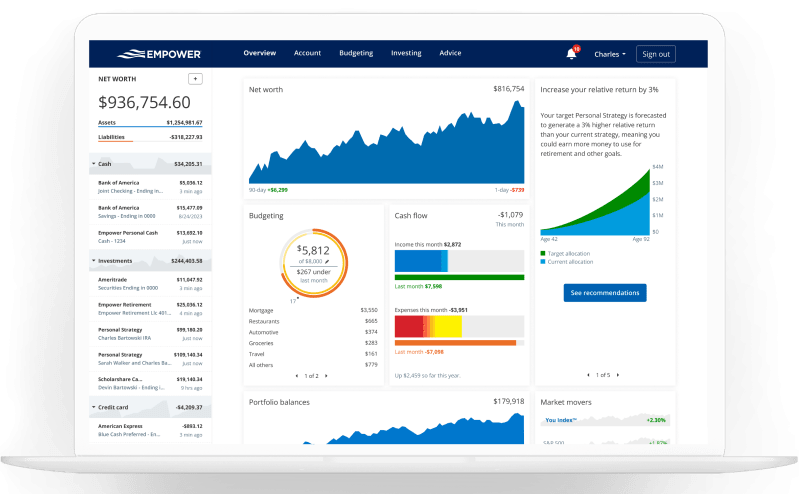
Empower (formerly Personal Capital)
Empower is mostly about investment and net worth tracking, with some basic budgeting features thrown in. Free - works on Web, iOS, and Android.
Best for: People who are more focused on investments and building long-term wealth than day-to-day budgeting.
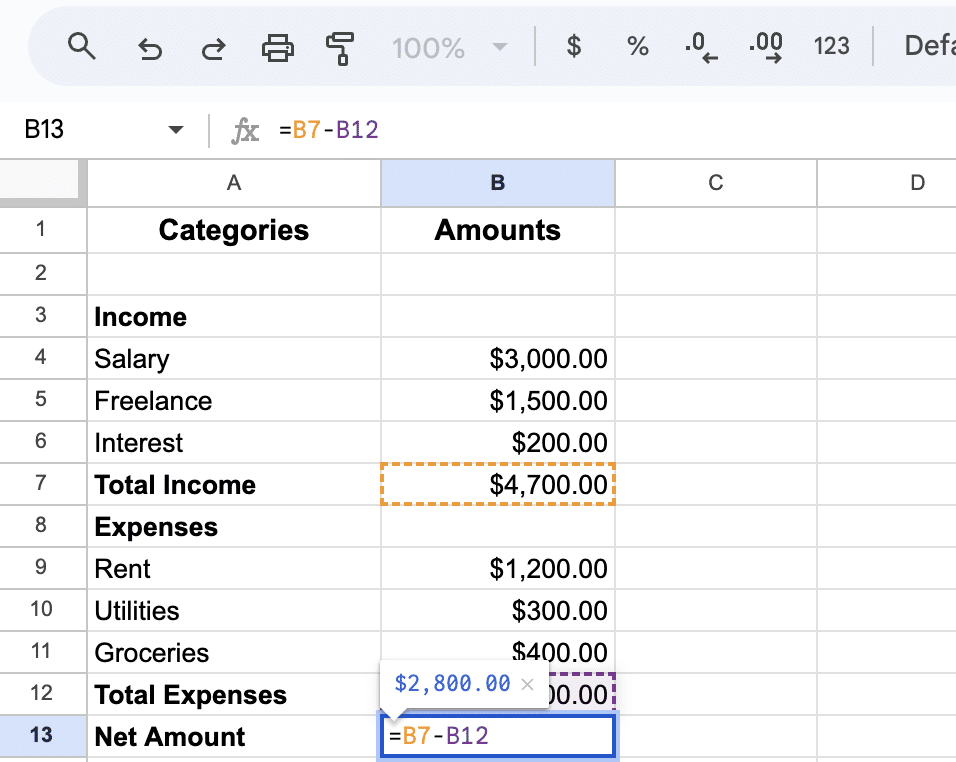
Google Sheets and Excel
Google Sheets and Excel give you complete control without any monthly fees. You'll need to set things up yourself and keep them updated, but you own everything. Free/Paid - works on Web and Desktop.
Best for: People who like to DIY and want full control over how everything works.
Budget Calculators
Simple tools like our Monthly Budget Calculator give you quick answers without any commitment. Free - just works in your browser.
Best for: People who want fast answers without signing up for a whole platform. Perfect if you're just starting to track your spending and want to understand your numbers first.
Quick Things to Think About
Free vs. Paid: Free tools (like spreadsheets, calculators, or free app tiers) work great for a lot of people. Paid tools usually cost $5-15/month and give you automation, bank linking, and some fancier features. My advice? Start with something free and only upgrade if you find yourself really needing features that free tools don't have.
Security: Most apps use read-only connections to your bank through services like Plaid, so they can see your transactions but can't move money around. If that makes you uncomfortable, you can always use manual-entry tools or spreadsheets instead. Our Monthly Budget Calculator doesn't need any account linking at all, everything stays right in your browser.
Platform: Most apps these days work on both your phone and computer. Think about where you'll actually use it most. Your phone is great for quick checks while you're out, your computer is better for sitting down and really planning things out.
Budgeting Tools Comparison Table
| Tool | Type | Cost | Platform | Best For |
|---|---|---|---|---|
| YNAB | All-in-One | Paid ($14.99/mo) | Web, iOS, Android | Structured, hands-on budgeting |
| Monarch Money | Modern App | Paid ($14.99/mo) | Web, iOS, Android | Couples/families |
| Rocket Money | Automation | Free + Paid | Web, iOS, Android | Subscription management |
| Empower | Investment-Focused | Free | Web, iOS, Android | Investment tracking |
| Google Sheets/Excel | Spreadsheet | Free/Paid | Web, Desktop | Full customization |
| Budget Calculators | Single-Purpose | Free | Web | Quick clarity |
How to Choose the Right Tool for You
Here are some questions that might help you figure out what you need:
- Do you like being hands-on or do you want things automated? Manual entry gives you more control, but automation saves you time.
- Are you budgeting by yourself or with someone else? Some tools (like Monarch Money) are built specifically for couples or families.
- Do you want something free or are you okay paying? Lots of free tools work really well, but paid ones usually have more automation.
- Are you looking for ongoing tracking or just want to understand things once? Calculators are great for quick answers; apps are better if you want to keep track over time.
Honestly, lots of people mix and match. Maybe an app for daily tracking, a spreadsheet for planning, and calculators for specific goals. The best system is whatever you'll actually stick with.
Getting Started
If you're new to budgeting, it's worth starting with our beginner's guide to get the basics down. Understanding your spending patterns first, maybe by tracking your spending for a month, helps you pick a tool that actually matches how you spend money.
Different budgeting methods work better with different tools. The 50/30/20 rule works great with spreadsheets, while zero-based budgeting (like YNAB) needs tools that let you assign every dollar. Think about the method you want to use, and let that guide your tool choice.
Final Thoughts
There really isn't one budgeting tool that works for everyone. These days, budgeting is way more flexible and personal, and honestly, lots of people use a mix of tools.
The best system is whatever fits how you actually live, doesn't stress you out, and helps you make decisions about your money that feel good. Whether that's a full-featured app, a simple spreadsheet, or mixing a few things together, the goal is the same: understanding where your money goes so you can make choices you feel good about.
If you're not sure where to start, try our free Monthly Budget Calculator. No sign-up needed, everything stays on your device, and it'll give you a clear picture of your income and expenses. Once you see your numbers, you'll have a much better sense of what kind of tool, if any, would actually be helpful for you.
Frequently Asked Questions
Related Articles
Avoid these 5 common budgeting mistakes that derail your financial goals. Learn simple fixes to create a budget that actually works and helps you save money.
Learn how to start budgeting with this calm, practical guide. Discover simple steps to understand your money and build a budget that actually works for your life.